
North Charleston Portal Searches Use Separate Case Paths
The city eCourt portal splits its lookups on purpose. Traffic, criminal, and parking cases each begin from a different identifier. A traffic citation search wants the ticket details. Criminal searches are broader, taking a summons, ticket, or warrant number. Parking ties a plate to the citation. Pick the category printed on the notice before typing anything. The North Charleston eCourt public portal lays out these separate routes on its official page, and its sample holds no personal case result.
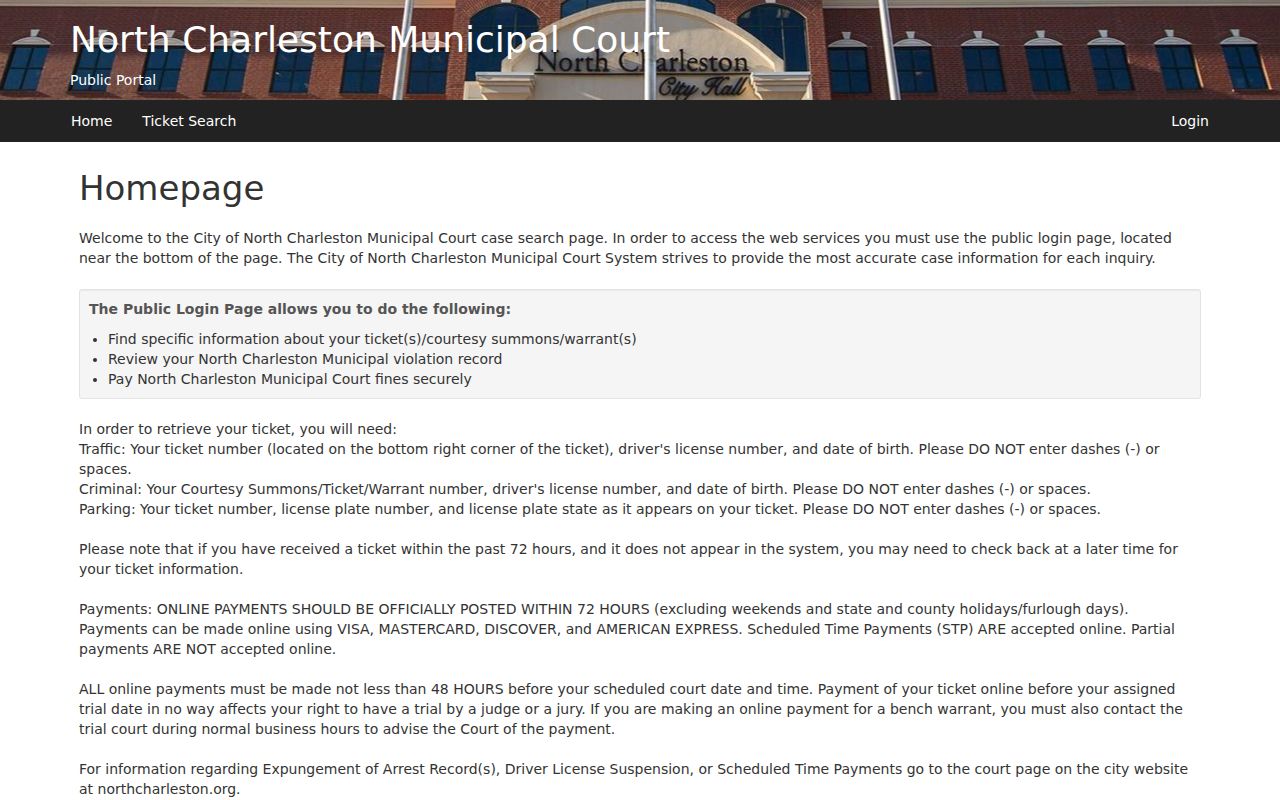
Pick the case type that matches, then enter the exact identifier the North Charleston form asks for.
Checking for a Warrant in North Charleston
With a North Charleston citation, summons, or warrant number in hand, the eCourt public portal is the place to start. Criminal record searches there also accept a driver's license number and date of birth. The traffic and parking paths ask for different fields. A blank result is not the end. Call the municipal court or police department using the contact details printed on the notice, and ask whether the case sits under another number.
- Read the notice and identify its court, case category, ticket number, and appearance date.
- Choose traffic, criminal, or parking on the North Charleston eCourt portal.
- Enter the identifier requested for that category; avoid adding spaces or dashes to numbers.
- If no result appears, call the court and ask whether the citation is still being entered or filed elsewhere.
- For a separate county-level case, contact the court named on that case and the responsible county agency.
North Charleston's 72-Hour Posting Window
North Charleston cautions that a newly issued ticket can take up to 72 hours to show up in eCourt. A fresh citation is therefore likely missing. Keep the paper copy and do not read an empty portal as a dismissal. Once 72 hours have passed, search again with the exact printed identifier. Still nothing? Contact the court. Treat the posting note as a portal estimate only. It sets no deadline for answering a summons, promises nothing about a payment clearing, and says nothing about whether a warrant has been recalled. Follow the date and instructions on the court notice while the online record catches up. That document governs; the portal simply lags behind it for a stretch of hours, and a North Charleston clerk can confirm what the screen has not yet shown.
North Charleston Police and Municipal Court
The municipal court handles city citations and court orders, while the North Charleston Police Department enforces warrants and can steer a caller to the right unit. A portal entry helps you locate a case. It does not settle hearing dates, payment terms, or a judge's change to a warrant's status; the court itself is the source for all three. For city traffic, criminal, and parking records, the North Charleston eCourt public portal is the tool, and its forms want case-specific inputs. A name-only search cannot substitute for the ticket or warrant number. When the case stems from an incident outside the city or sits with a second court, ask which agency filed it rather than guessing.
City and County Cases Can Share a North Charleston Address
North Charleston stretches beyond Dorchester County, so an address alone cannot tell you which county court owns a case. The portal covers municipal matters only. A county-level arrest or a General Sessions case follows the county and judicial circuit printed on its own paperwork. A matching name in another jurisdiction is not the same case. Before calling, compare the court name, the case number, the charge, and where the incident happened. If the record points elsewhere, use that county's official index and contact information. The North Charleston city portal will not display it.
North Charleston Warrant Types
City records can grow from an unpaid traffic citation, a parking matter, or a criminal charge filed in municipal court. Miss a court date, and a bench warrant may follow. Other arrest warrants can start with a magistrate or a circuit court outside the city process entirely. The paperwork names the office that can explain the order, so read it before calling anyone.
| Warrant Type | How It Arises | Who Issues It |
|---|---|---|
| Traffic | Unresolved city citation or missed traffic appearance | North Charleston Municipal Court |
| Parking | Unpaid city parking citation connected to a vehicle plate | North Charleston Municipal Court |
| Bench / FTA | Failure to attend or comply with a city court order | Issuing municipal judge |
| Criminal arrest | Charge arising from an investigation or separate court case | Magistrate or circuit court, as applicable |
Appearance Dates and Payment Are Separate Questions
Some citations require a court appearance, the North Charleston portal warns, and its payment guidance states that partial payments are not accepted. Check the case instructions before paying anything. An online payment never substitutes for a required appearance or resolves a different case. Keep the receipt, and verify it ties to the right ticket. If a warrant followed a missed court date, ask the clerk what step brings the matter back before the judge. Only the issuing court can decide whether an order is recalled, so treat the North Charleston payment screen as one piece of a larger conversation with the clerk.
Inside a North Charleston Warrant Record
Start with the court name and the citation category. Then compare the case number and person details against the notice you hold. The portal keeps criminal summons, ticket, and warrant number searches separate from traffic ticket searches, while parking lookups run on plate details. A result identifies the case; it does not stand alone as proof of a current North Charleston warrant.
| Ticket or warrant number | Use the number printed on the notice; category determines the portal field. |
|---|---|
| Person or driver details | Compare the name, driver’s license, and date of birth requested for the case type. |
| Charge / offense | Check that the listed matter matches the citation or summons in hand. |
| Issuing court | North Charleston Municipal Court for city matters; another court may handle a separate case. |
| Amount or appearance | Read payment directions together with any mandatory court date. |
| Status | Confirm a current warrant, recall, or service outcome directly with the court. |
North Charleston Court Records Need a City Match
The North Charleston municipal portal sorts its searches by category: traffic, criminal, and parking. Pick the type that matches your original notice. Then enter the citation number or vehicle details tied to that case. Nothing coming up? Try the court name printed on the paper itself. A countywide index should be the fallback, not the first stop. Before paying anything on a city warrant, call the court and ask three things: whether an appearance is required, whether a balance remains, and whether a judge's order is still pending. The portal's disclaimer and payment pages spell out what online information cannot do, though only the court can decide an individual case.
How North Charleston Warrants Fit the County System
North Charleston keeps its municipal matters inside the city court. A separate Dorchester County case belongs elsewhere: the Clerk of Court, the Magistrate Court, or the Sheriff, depending on where the case started. The city straddles county lines, so some cases actually fall to a neighboring county. South Carolina offers no single live warrant system covering all these offices. Confirm the issuing court before any warrant search.
Warrant flow: North Charleston Municipal Court / Police › court named on the county case › responsible sheriff or police agency
Reach for the Dorchester warrant records overview and the warrant lookup instructions only when the record plainly names Dorchester County. For any other notice, follow the court and county printed on the paper, even outside North Charleston.
North Charleston Portal Caveats Before Payment
North Charleston posts an informational notice worth reading before you pay a dime. It warns that online records can lag behind reality. Some matters, it says, require an appearance no matter what a screen shows. The portal is a convenience for municipal records, not a full account of every case tied to a resident. A clerk can tell you what a result actually means. The clerk can also confirm whether payment is even allowed for that citation. Never treat a portal screen as proof that a county warrant somewhere else does not exist. Save the case number and your payment confirmation both. If the displayed status clashes with the notice or your receipt, contact the city court directly. The North Charleston portal notice lays out these online limits in the court's own words.
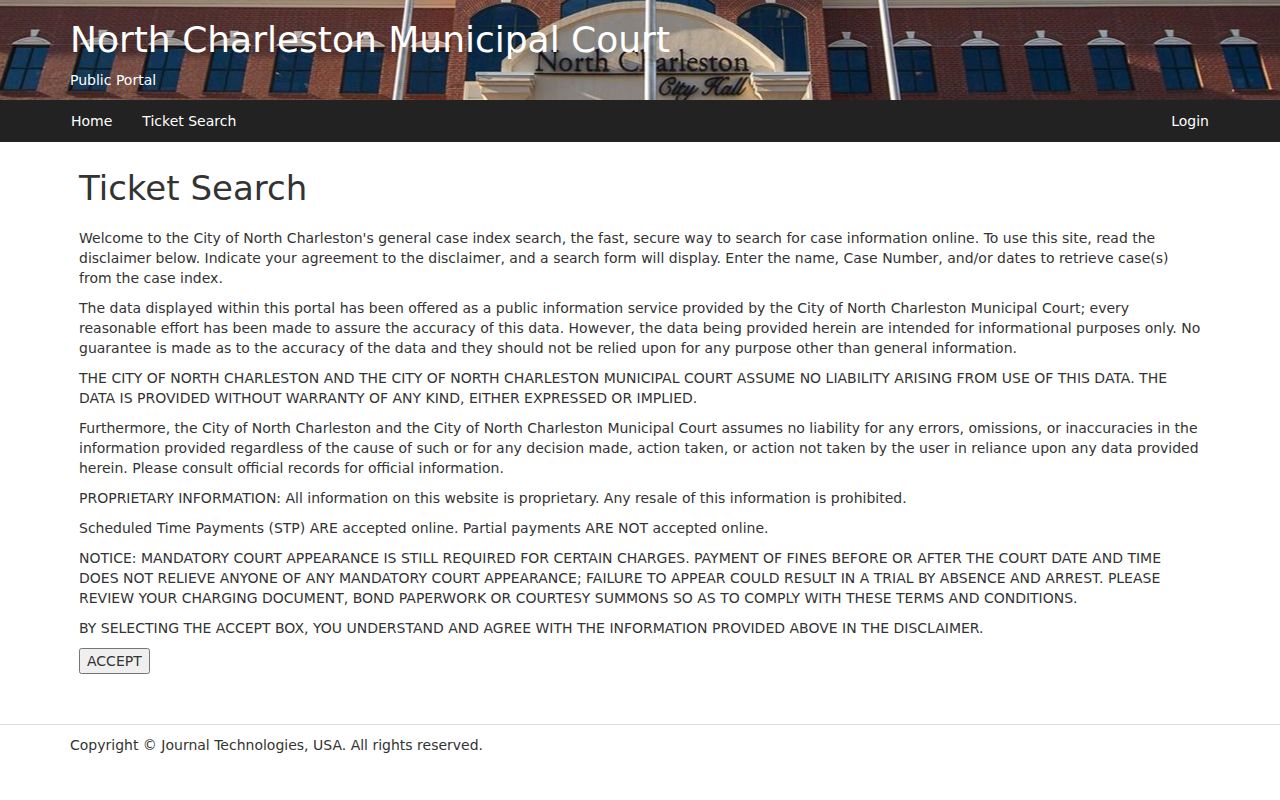
Read the notice before trusting a screen or sending money. For any open warrant question, North Charleston's issuing court can verify the order.
North Charleston Warrant Records and Public Access
North Charleston runs its eCourt portal for public access to some city citation and case information. It is not a complete warrant database. Results can lag, and sealed or confidential files stay out. South Carolina's public-records law governs what public bodies must release, while court rules and privacy laws can still close specific files. Ask the municipal clerk which record exists and how to request it.
Key Rules:
South Carolina Freedom of Information Act - the law provides access to public-body records subject to statutory exemptions.
S.C. Code § 30-4-50(A)(8) - qualifying incident reports are public, with protected details subject to redaction.
S.C. Code §§ 63-19-2010 and 63-19-2020 - juvenile records are confidential except as the law allows.